Validation Muse for Contact Form 7
Custom error and required-field messages for Contact Form 7. CF7 6.x SWV-compatible, multilingual via Flavor, no global settings page.
v 1.4.2 · php 7.4+ · wp 5.8+ · tested up to wp 6.9.4 · active · forms
## features
— what it does #features CF7 6.x SWV compatible Works with the new Schema-based Validation engine — not just legacy hooks. Filters run at priority 20 (after CF7 core) and use Reflection to replace SWV error text on already-invalidated fields.
Per-form, per-field Each form keeps its own messages. No global override, no settings page that someone else on the team has to find.
Stored in post meta Messages live with the form. CF7 form duplication carries them. Third-party CF7 import/export plugins read the meta — migrations across sites just work.
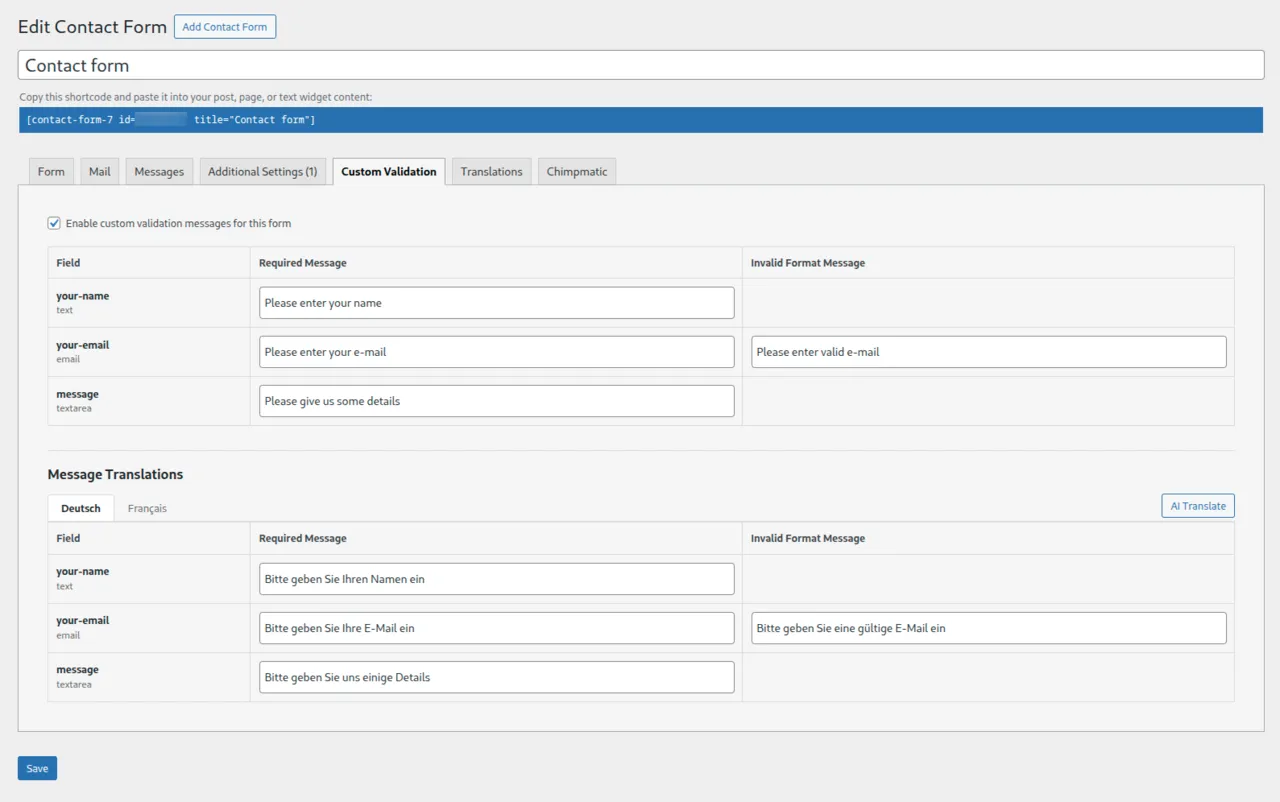
Multilingual via Flavor When the Flavor translation plugin is active, language tabs and a one-click AI Translate button appear in the editor automatically. Zero overhead when Flavor isn't installed.
Developer-friendly hooks Extensibility hooks `vmcf7_loaded` and `vmcf7_validation_tag_types` let you add custom field types without forking.
Lightweight No admin bloat, no tracking, no upsells, no nag screens. The plugin does one job and stays out of your way.
## screenshots
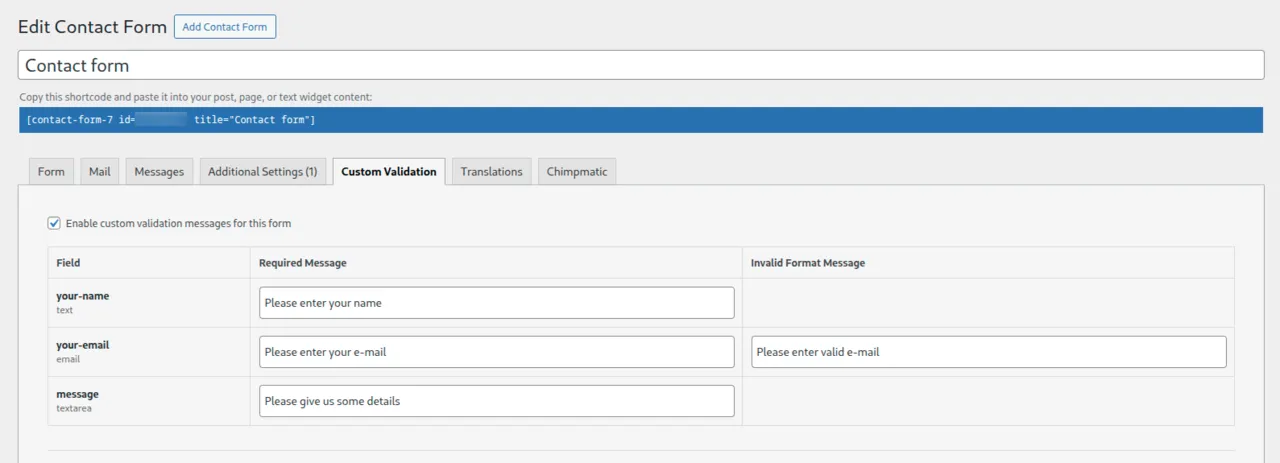
— from wp-admin #screenshots ▪ ▪ ▪ screenshot · 1 Custom Validation panel inside the Contact Form 7 editor
▪ ▪ ▪ screenshot · 2 Per-language tabs and AI Translate button (visible when the Flavor translation plugin is active).
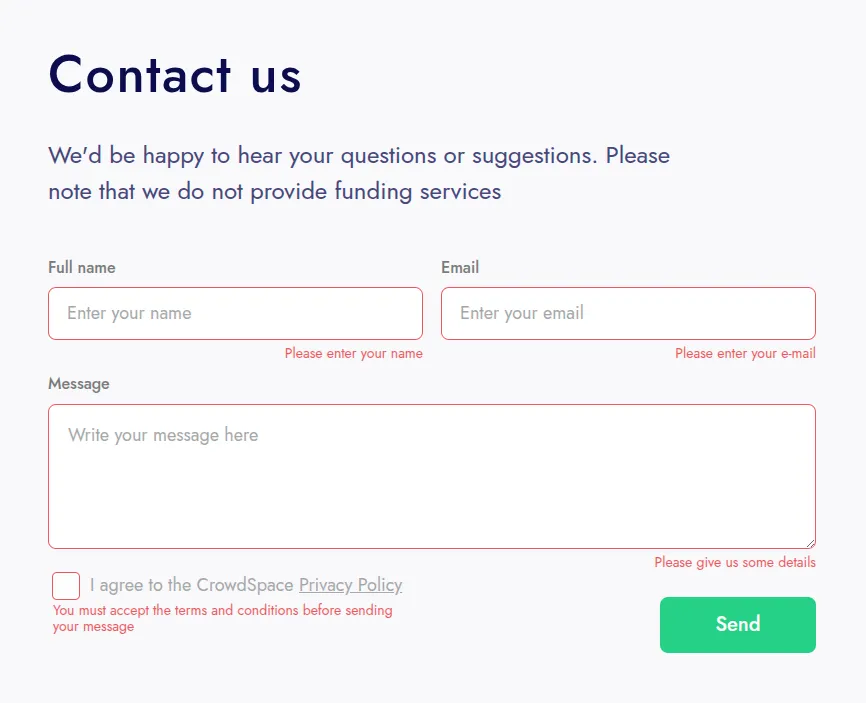
▪ ▪ ▪ screenshot · 3 Required-field message rendered on the frontend.
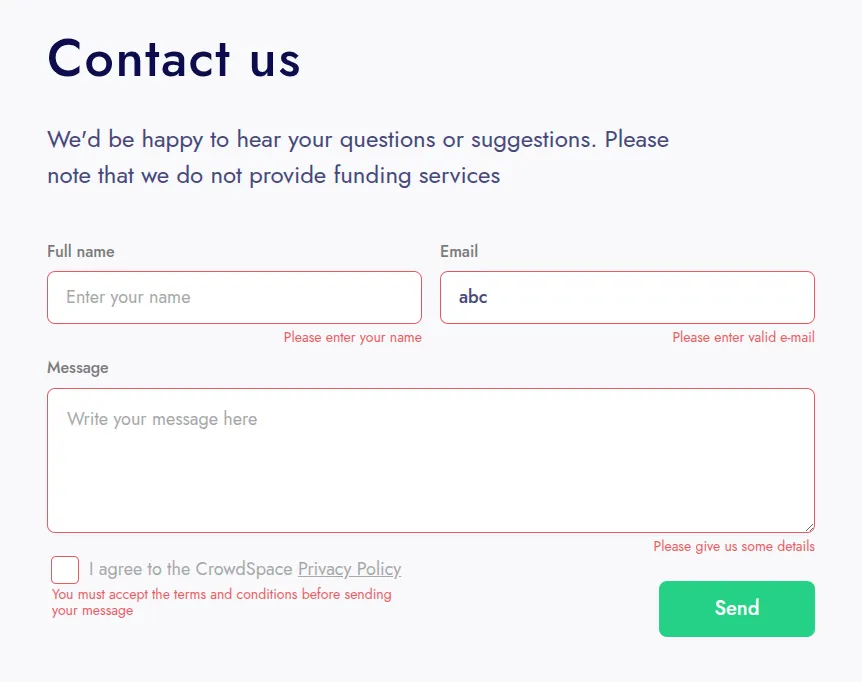
▪ ▪ ▪ screenshot · 4 Invalid-format message for an email field rendered on the frontend.
## overview
— long form #overview If you’ve ever needed a single CF7 form to say “Please give us your full name” instead of the generic “The field is required,” you’ve probably tried Contact Form 7’s built-in Messages tab — and discovered it sets messages globally, not per form. Then you’ve probably tried one of the older plugins, only to find it stopped working when CF7 6.x shipped its Schema-based Validation (SWV) engine.
Validation Muse fills the gap that Contact Form 7 itself opened: per-form, per-field custom error and required-field messages, written directly inside the form editor, that actually display under SWV. The technique is well-documented (priority-20 filters plus Reflection-based replacement on already-invalidated fields) but most plugins in the directory predate the SWV engine and have not been updated. Validation Muse is built for the post-SWV world.
Messages are stored in post meta, which means they survive form duplication (a built-in Contact Form 7 feature), and any third-party CF7 import/export plugin that reads post meta will carry them across site migrations. There’s no separate settings table, no extra option blob — just metadata attached to the form, where it belongs.
For multilingual sites, Validation Muse integrates with the Flavor translation plugin: when Flavor is active, language tabs and a one-click AI Translate button appear in the editor. The integration is opt-in by design — every Flavor call is wrapped in a class_exists() check, so the plugin is identical in size and behaviour when Flavor isn’t installed.
## install
— three options #install - via WordPress admin: Plugins → Add New → "Validation Muse for Contact Form 7"
- via WP-CLI:
# install & activate
wp plugin install validation-muse-for-contact-form-7 --activate
## faq
— things people ask #faq
Q. Does this work with Contact Form 7 6.x and Schema-based Validation (SWV)?
Yes. Since version 1.3.0, Validation Muse hooks at priority 20 (after CF7 core) and uses Reflection to replace SWV error text on already-invalidated fields. Your custom messages override both the legacy and SWV defaults.
Q. How is this different from other CF7 validation plugins?
Validation Muse is the only CF7 validation plugin that (1) is compatible with CF7 6.x SWV out of the box, (2) stores messages in form post meta so they live with the form, and (3) integrates with the Flavor translation plugin for per-language messages with one-click AI translation.
Q. Can I translate validation messages per language?
Yes — install the Flavor translation plugin and Validation Muse will show language tabs in the form editor plus an AI Translate button. Translations are stored in Flavor’s database; uninstalling Validation Muse cleans them up.
Q. Which field types support custom invalid messages?
`email`, `url`, `tel`, `number` (including `range`), and `date`. Any required field of any type can have a custom required-field message.
Q. Where are the messages stored?
In each form’s post meta. They live with the form, so duplicating a form (built into CF7) keeps the messages. CF7 has no native export, but third-party CF7 import/export plugins read post meta — so migrations across sites work without a separate import step.
Q. Can I use HTML in validation messages?
Yes, basic HTML is allowed and sanitized via `wp_kses_post()`.
Q. Does this plugin require Contact Form 7?
Yes. CF7 must be installed and active. The plugin shows an admin notice and self-deactivates if CF7 is missing.
Q. Is there a settings page?
No. Configuration lives inside each form, in the Custom Validation panel. There is no global settings page by design — every form keeps its own messages.
Q. Does the plugin track or send any data?
No. Validation Muse makes no external requests. The optional AI Translate button (Flavor integration) routes through Flavor’s own configured provider.
## support
— how to reach us #support
avg response time: ~ 12h on weekdays, slower on weekends.